

Drill Logs
Drill Logs turns rig-deck activity into one operational record: programs, holes, shifts, bits, crews, consumables. Run your own rigs or bill a customer’s. The meters you drill flow straight into Pit Info reconciliation.
The problem
The PLOD got scanned. The Excel got out of sync. The invoice got disputed. Drilling teams already know where the meters went — the meters are written down. They are written down on three different surfaces, by four different people, in two different time zones.
- The PLOD gets scanned after the shift and keyed in later
- The Excel program schedule drifts from what the rig actually did
- The invoice gets reconstructed from email threads, and disputed on the meters
Our solution
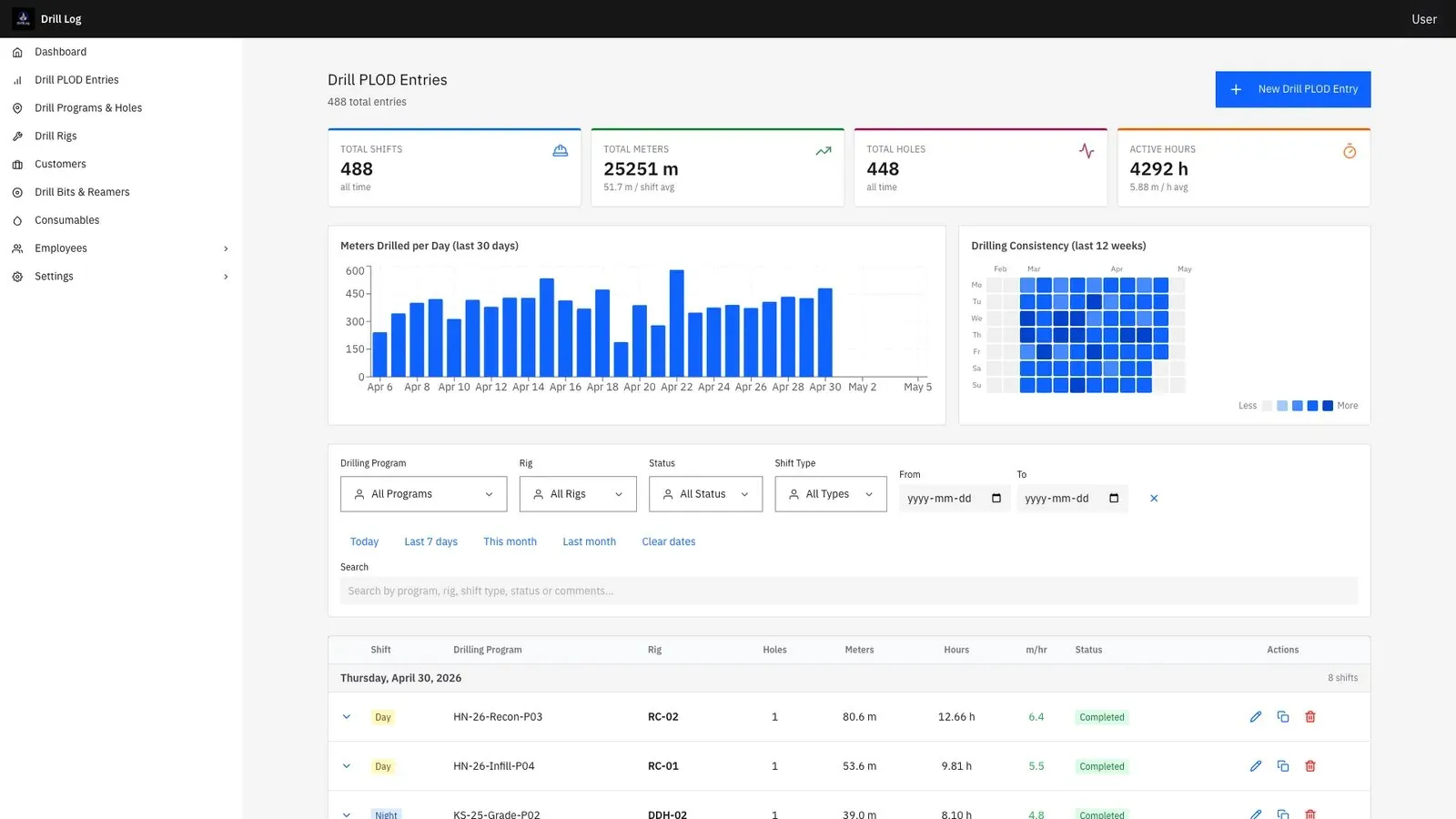
Locations, projects, drilling programs, drill holes, shifts. Surveys with azimuth, inclination and depth — the actual instrument shots, not a free-text field. Drilling methods and core sizes as first-class data, not tags.
The field app the crew runs the shift on: gloved hands, no signal, sub-zero or 40°C. Native iOS and Android tablets, full offline mode. The timeline shows what is logged and what is missing, and catches gaps before the shift is submitted — not the next morning.
From quote to invoice, on the meters you drilled: every meter on the invoice ties back to a shift, the shift to a hole, the hole to a quoted program. No reconstructing from email threads.
What’s in Drill Logs
Live shift on the rig
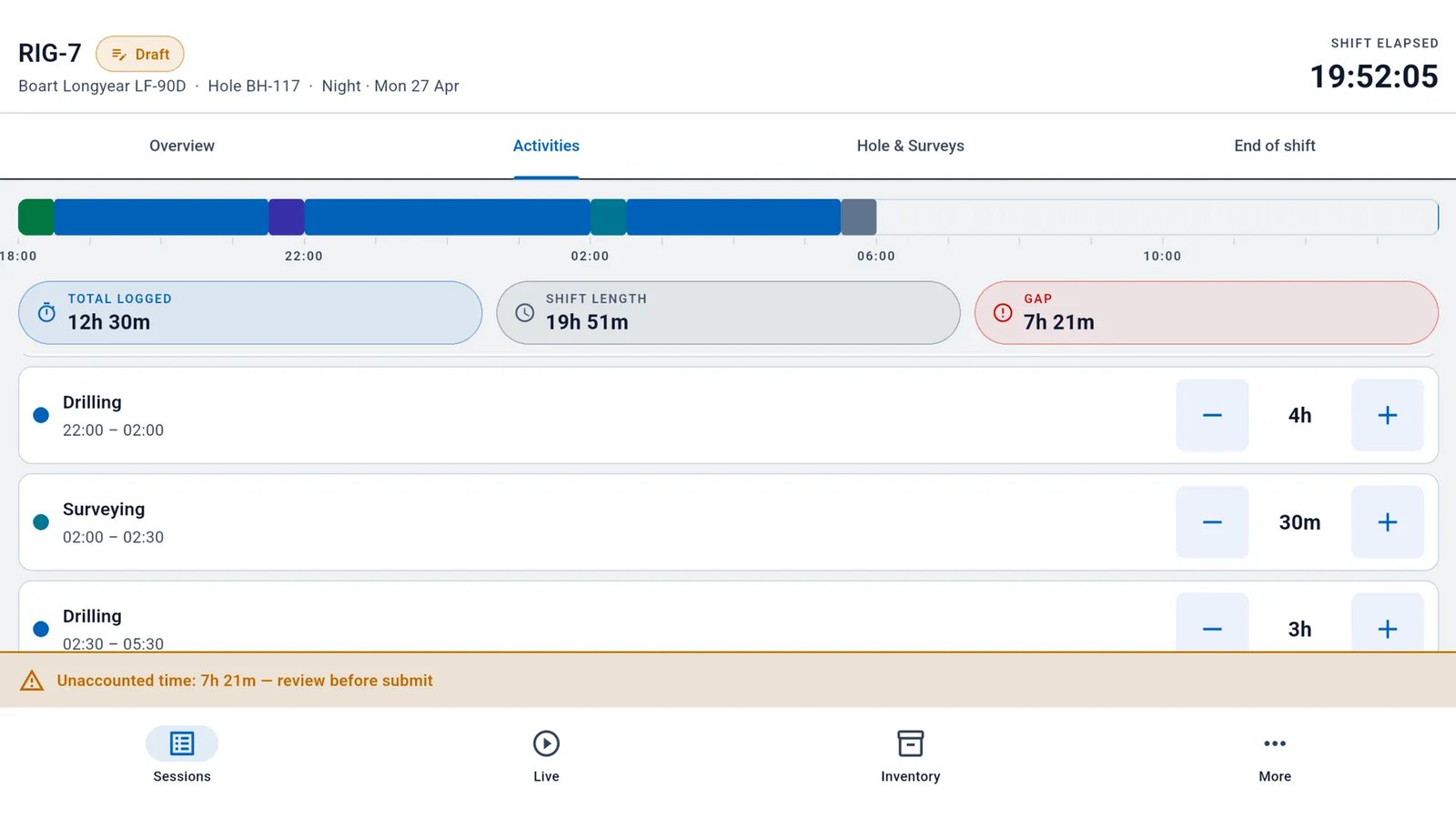
The crew logs the shift on the rig tablet as a timeline of activities, with the total time logged so far. A gap in the timeline is flagged as unaccounted time.
Sessions by rig and hole
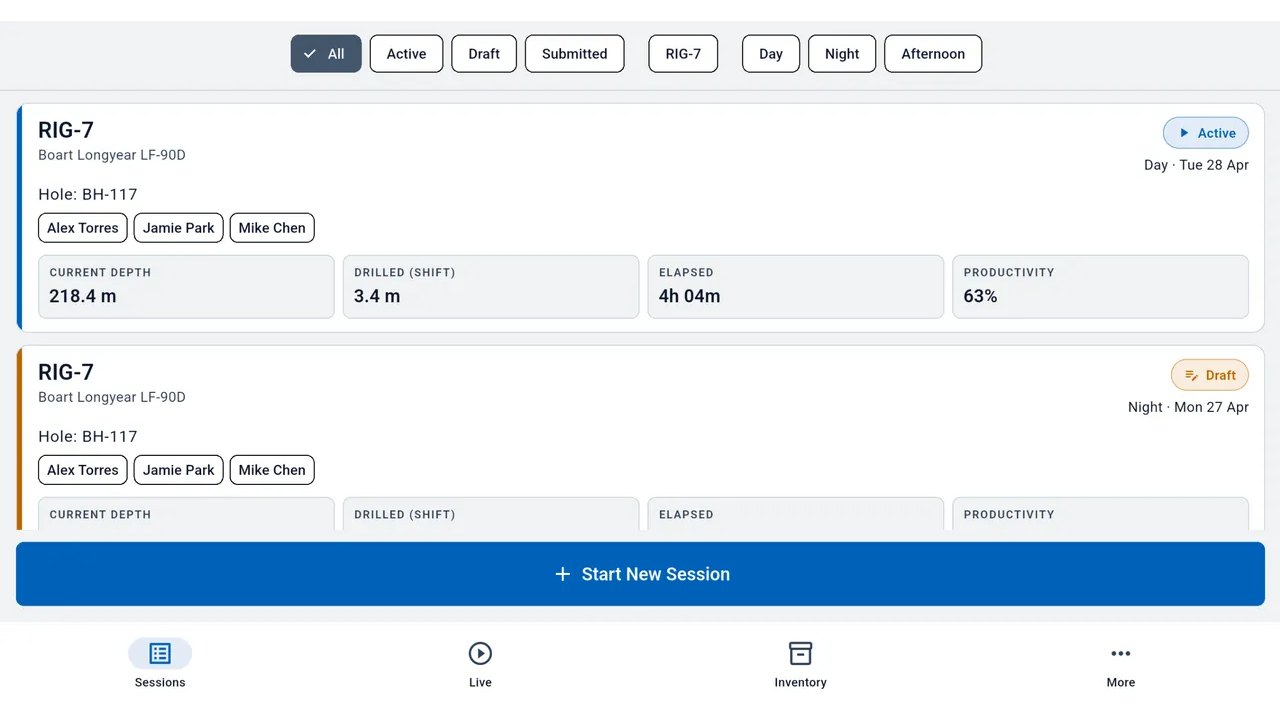
Every session is listed by rig and hole, with its crew, current depth, meters drilled in the shift and productivity.
Day, night and afternoon shifts are tied to a rig, with crews as reusable templates.
End-of-shift review
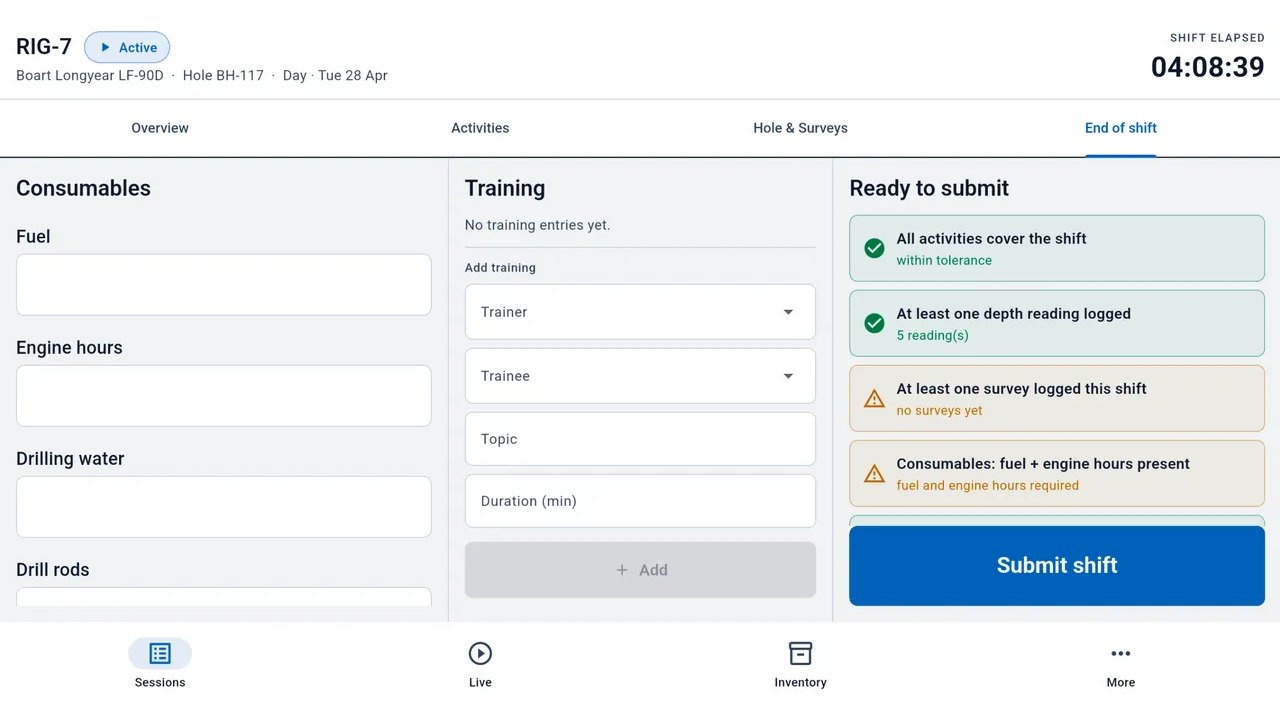
Before the shift is submitted, the crew records consumables and training, and a ready-to-submit list checks the shift is complete.
Inventory
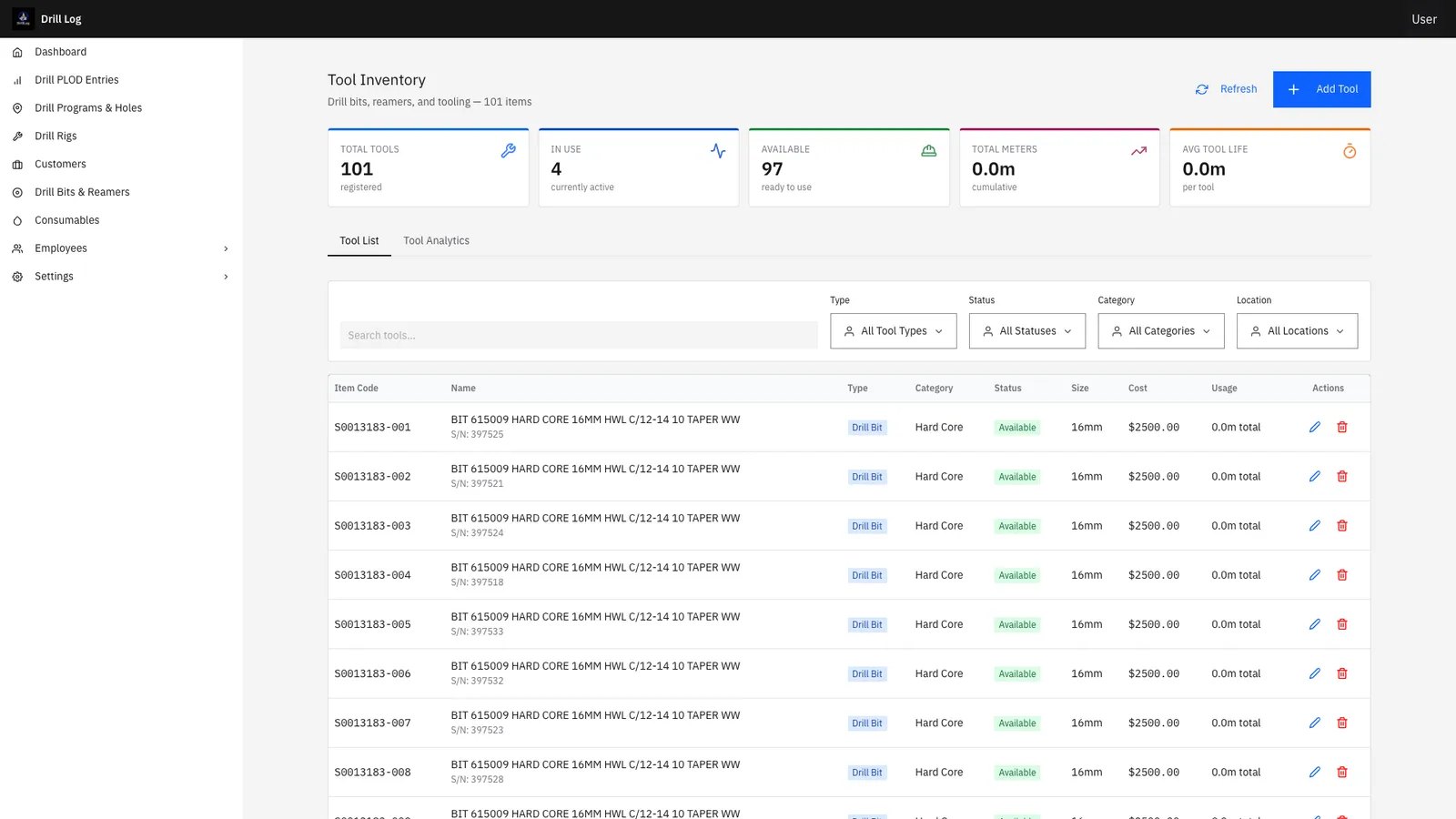
The office tool inventory lists every bit and reamer with its status, cost and usage.
Bits, reamers, consumables and vehicles are tracked by type, with stock by location and minimum-stock alerts.
Locations and programs
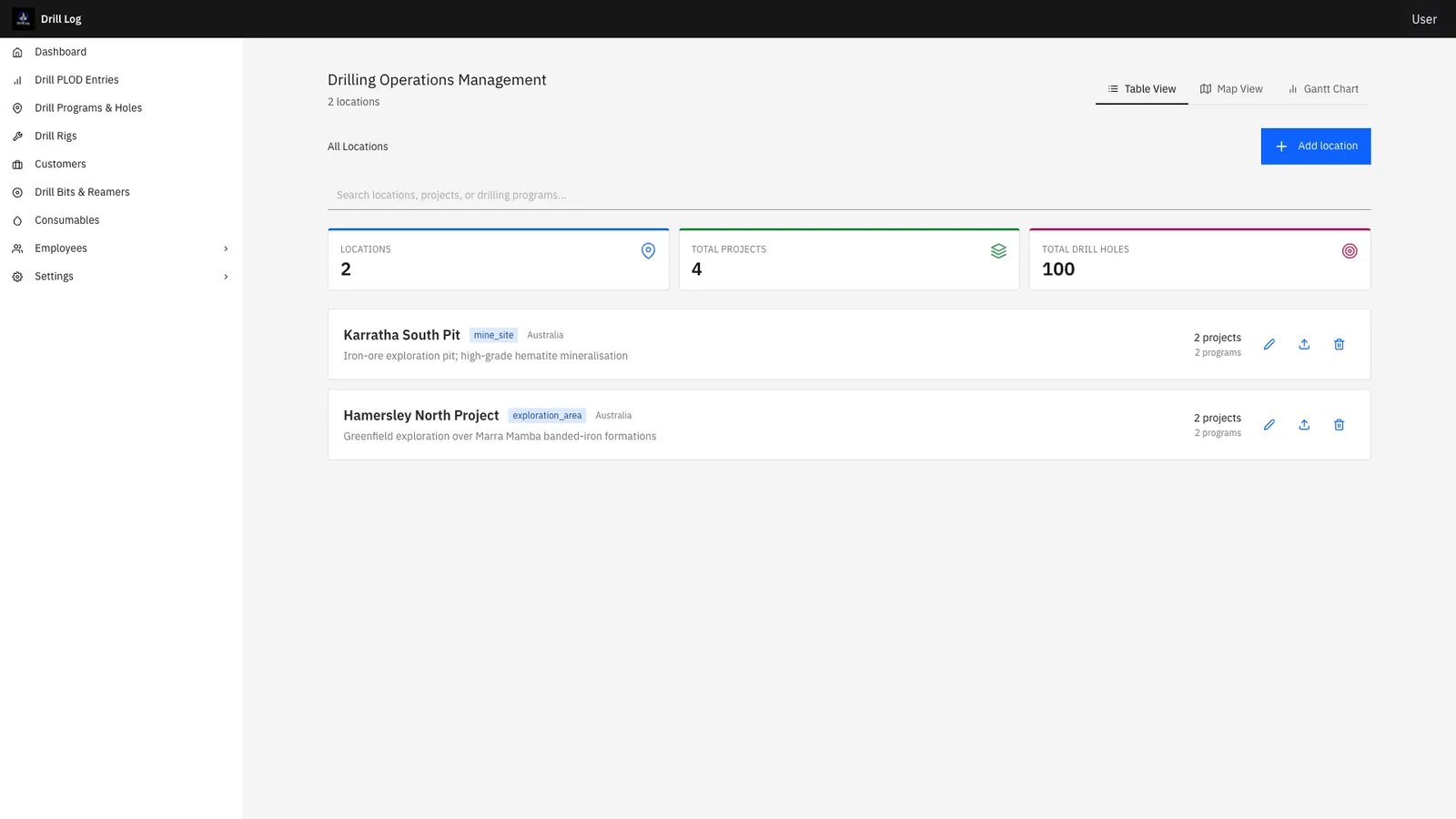
In the office, drilling operations are managed by location and project.
The hierarchy is built the way drilling works: location, project, program, drill hole, shift.
Every capability
- Hierarchy built the way drilling works: location, project, program, drill hole, shift
- Surveys with depth, azimuth and inclination — the instrument shots, not a free-text field
- Diamond and RC, every core size: PQ3, HQ3, NQ2, RC, Air Core, RAB
- Day, night and afternoon shifts tied to a rig, with crews as reusable templates
- Bit and reamer changes captured at depth, with reason and the next bit’s serial
- Bits, reamers, consumables and vehicles tracked by type, with stock by location and minimum-stock alerts
- Program scheduling: plan versus actual, hole by hole, without rebuilding a Gantt every Monday
- Quote, schedule, execute, invoice — every meter on the invoice ties back to a shift, a hole and a quoted program
- Native iOS and Android tablet app, fully offline, syncing the moment the rig is back in coverage
- Native English and French, in drilling vocabulary
Part of the Minebright platform
The meter doesn’t stop at the invoice. Every meter you capture in Drill Logs flows into Pit Info, Minebright’s mine-to-mill reconciliation. The drill record and the reconciliation run on the same numbers — no re-keying, no second source of truth.
- Certified to ISO/IEC 27001:2022
- 24/7 support for urgent requests
- Support in English, French and Russian
- Founded in Toronto, 2021
Book a 30-minute scoping call
Tell us how Drill Logs would sit in your operation. An engineer replies.
Contact us